PROH1#prohlidky#obchody
Viewings follow a new logic
Viewings are now part of the case journey and the list is sorted by day. At the top you will see viewings marked "No result" – those that took place but have no recorded outcome – with a "Record result" button. Filters work the same way as in Inquiries.
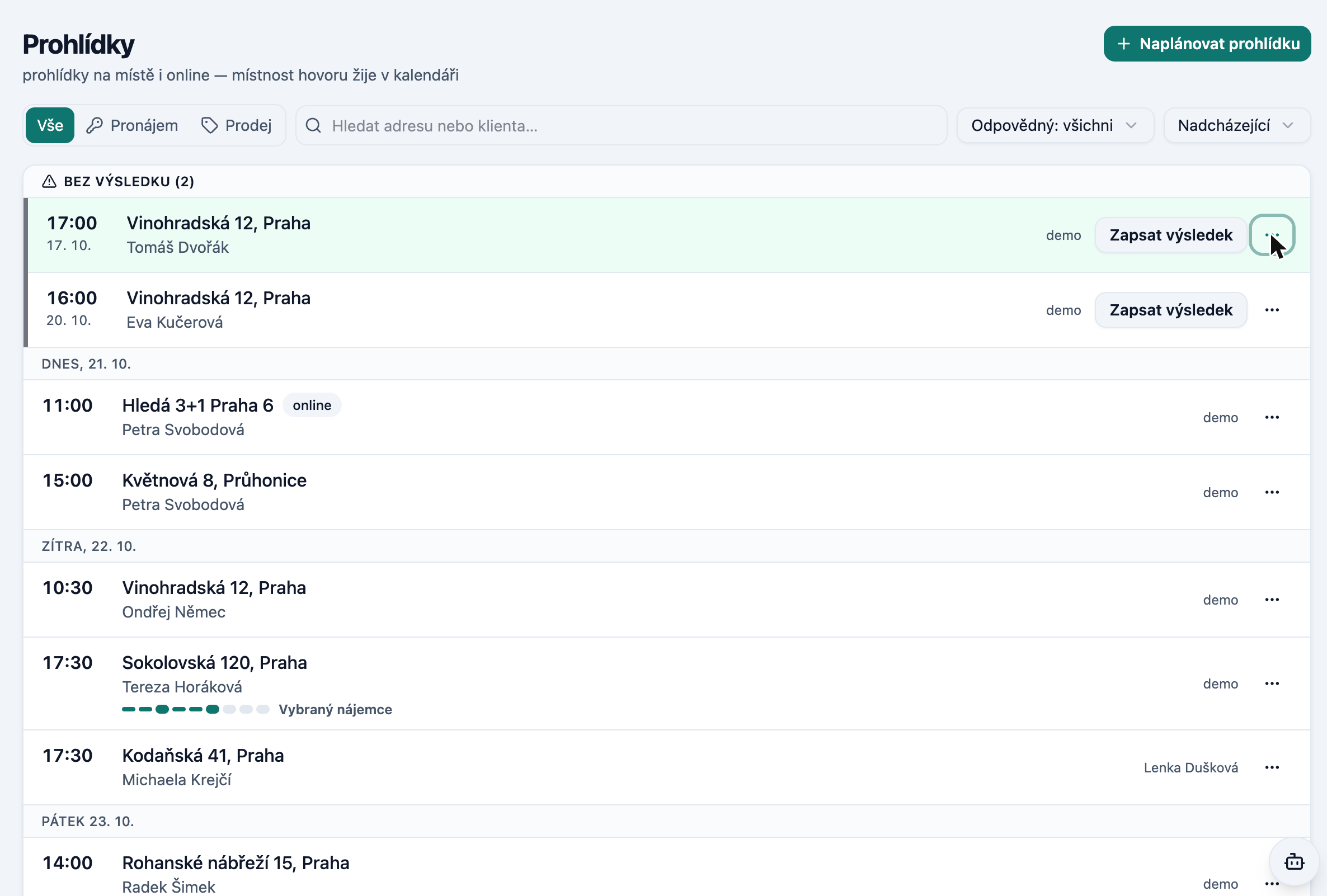
A viewing can also be logged against a property with no deal, directly from the property card, from the Viewings list, from the calendar, or from the selection on an inquiry. You record the outcome in a single window; if the client is interested or wants to reserve, it immediately offers "Close and select by client".
The "What next" button now opens the required window directly – for example the client selection – and in "Select client" the clients from viewings appear at the top. Tasks have the same day-by-day overview.